Free Digital Planner 2027 for
GoodNotes, Notability & iPad Download Your
Free Digital Planner PDF
for 2027
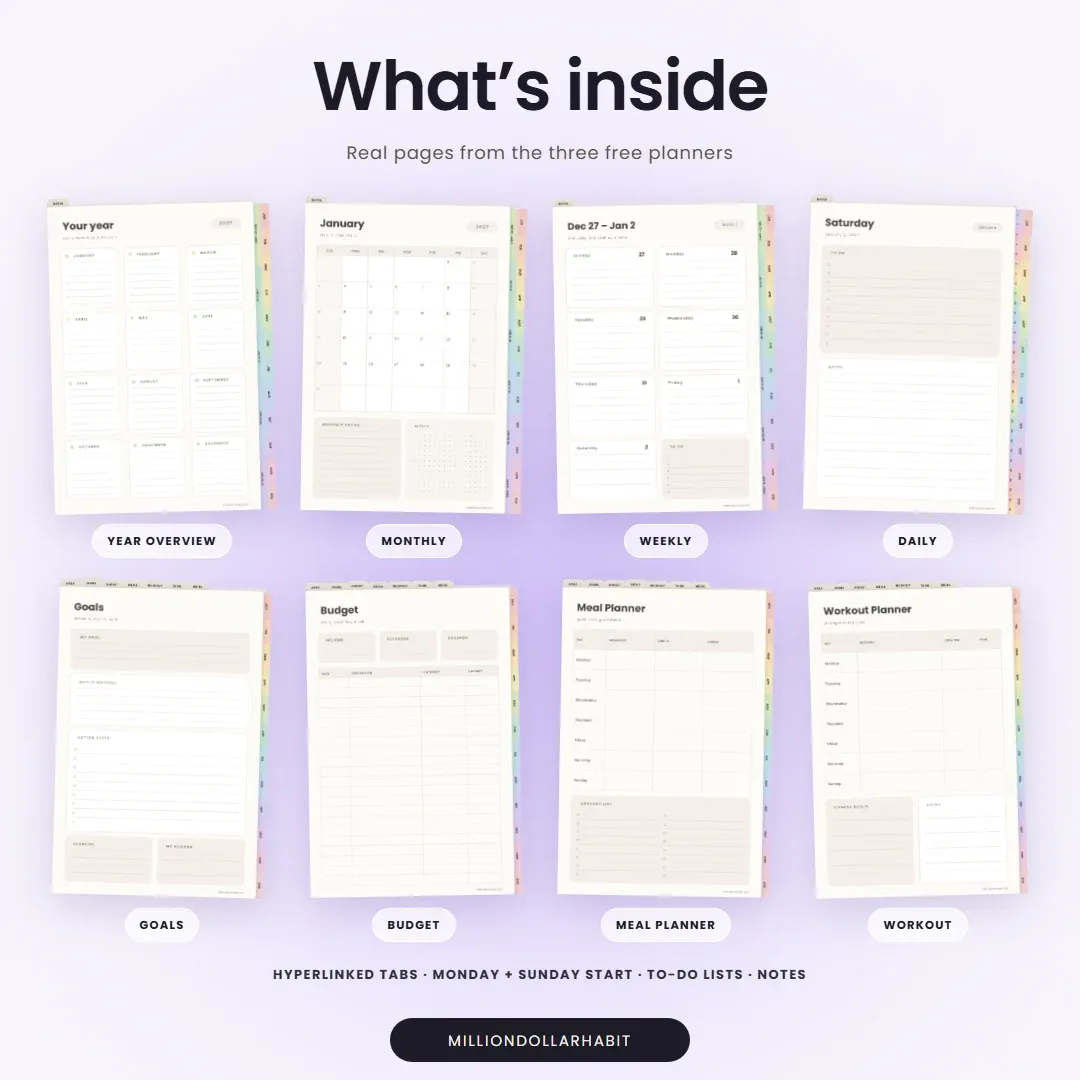
Three full planners, not 4-page samples: dated 2027, daily 2027 and undated. One sign-up gets you all three.
Sign up to get your Free Digital Planner
- Instant download
- Sunday + Monday start
- Plus the freebie library password
- 45,000+ customers
- Featured by Notion & GoodNotes
- Dated, daily and undated
- Sunday + Monday start
Pick your free planner
All three come with one sign-up, each in a Sunday and a Monday start version.
-
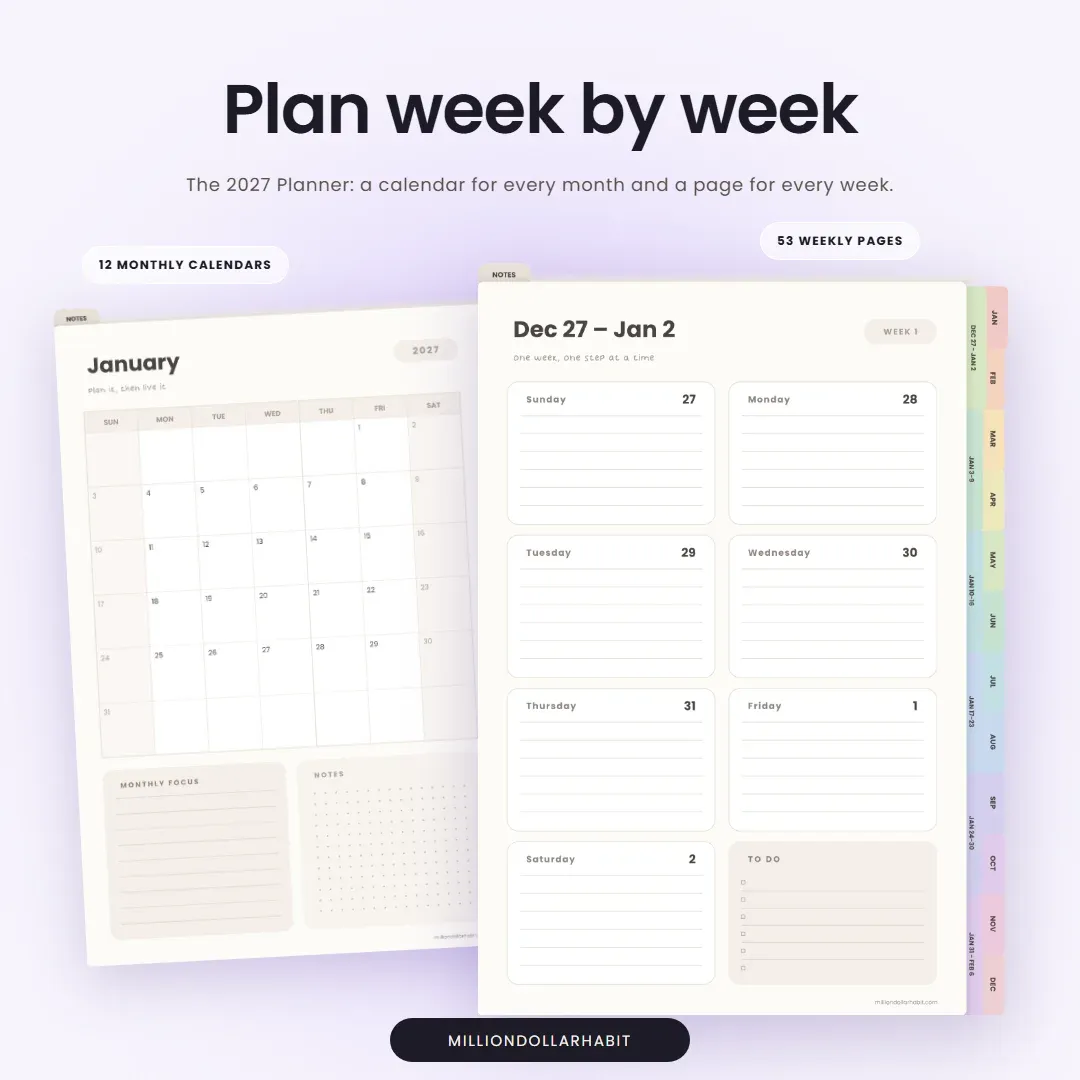
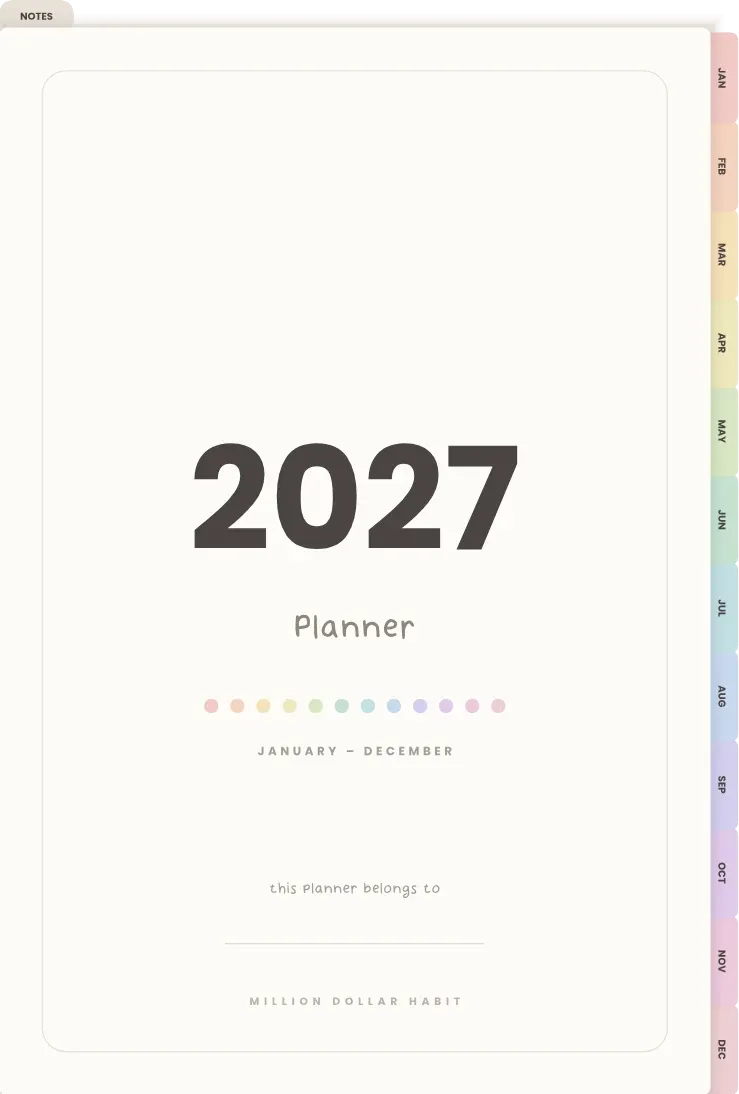
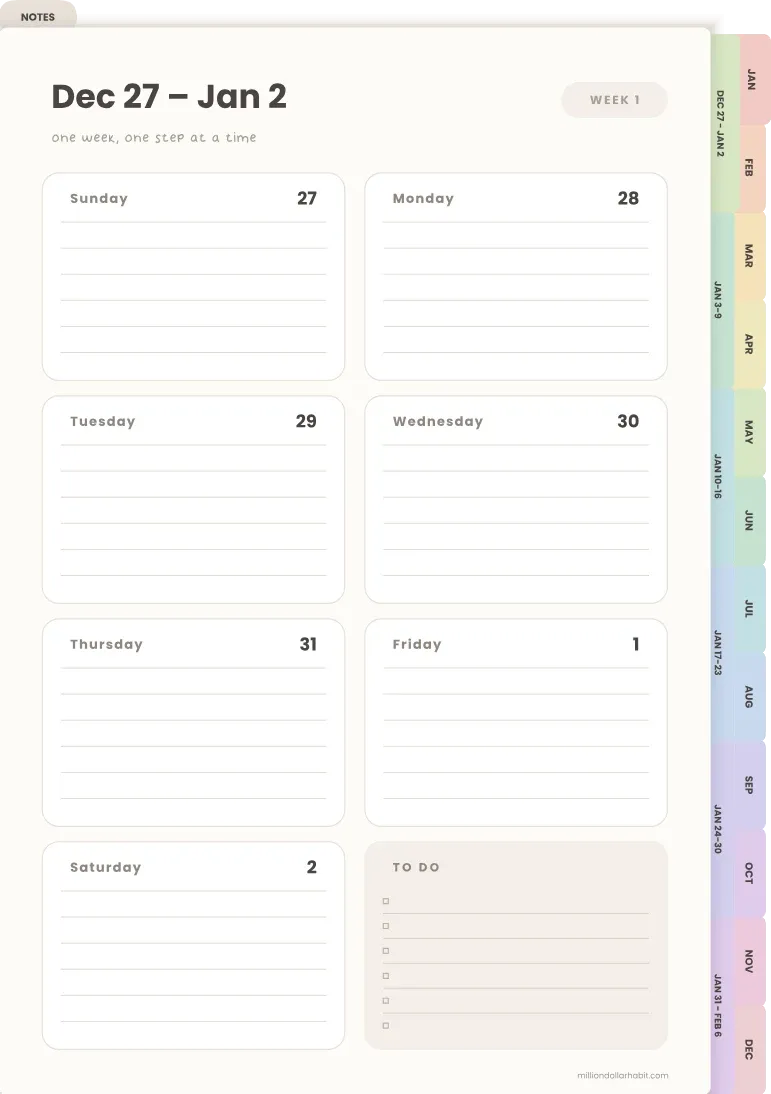
Dated · 73 pages
2027 Planner
Monthly calendars and a weekly page for every week of 2027.
-
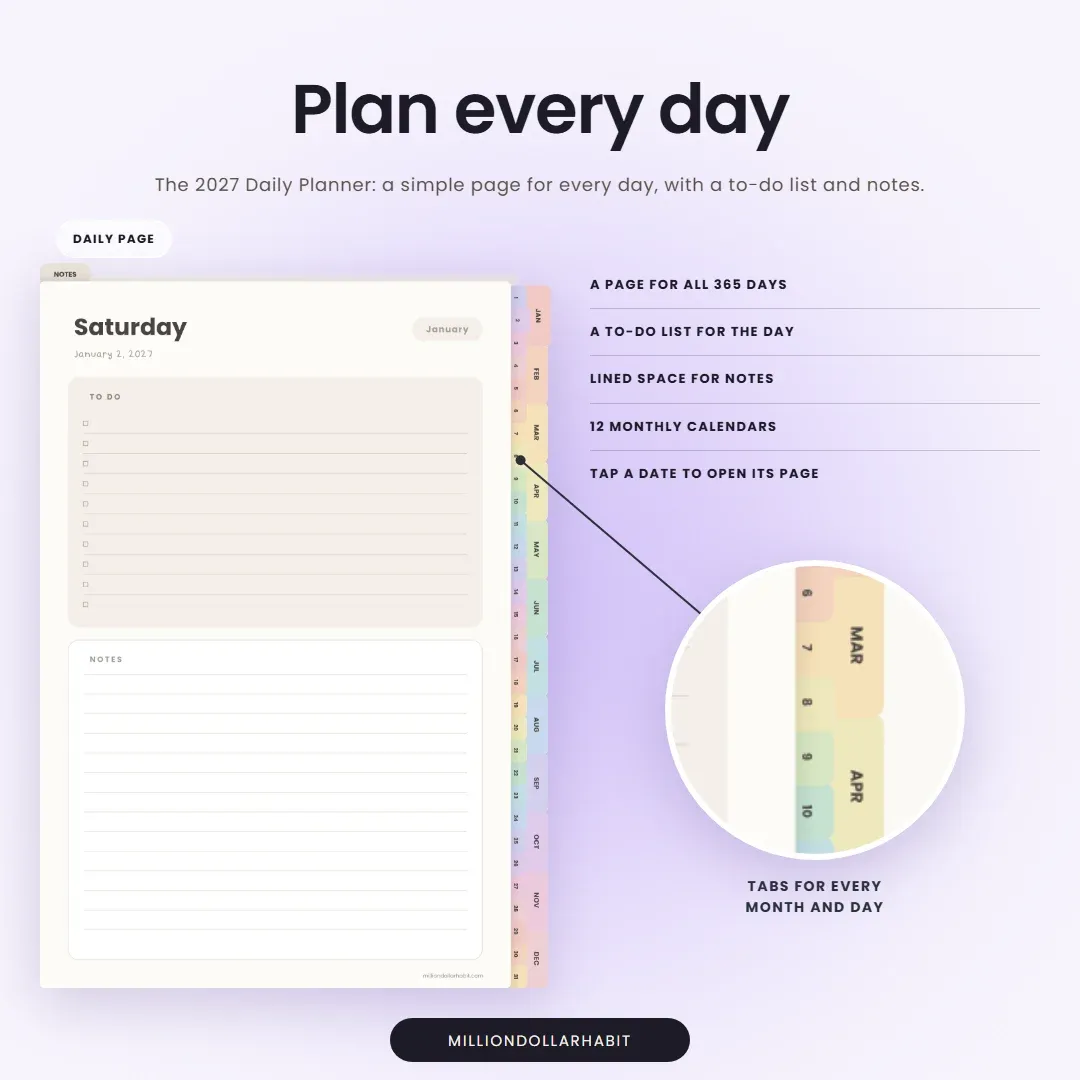
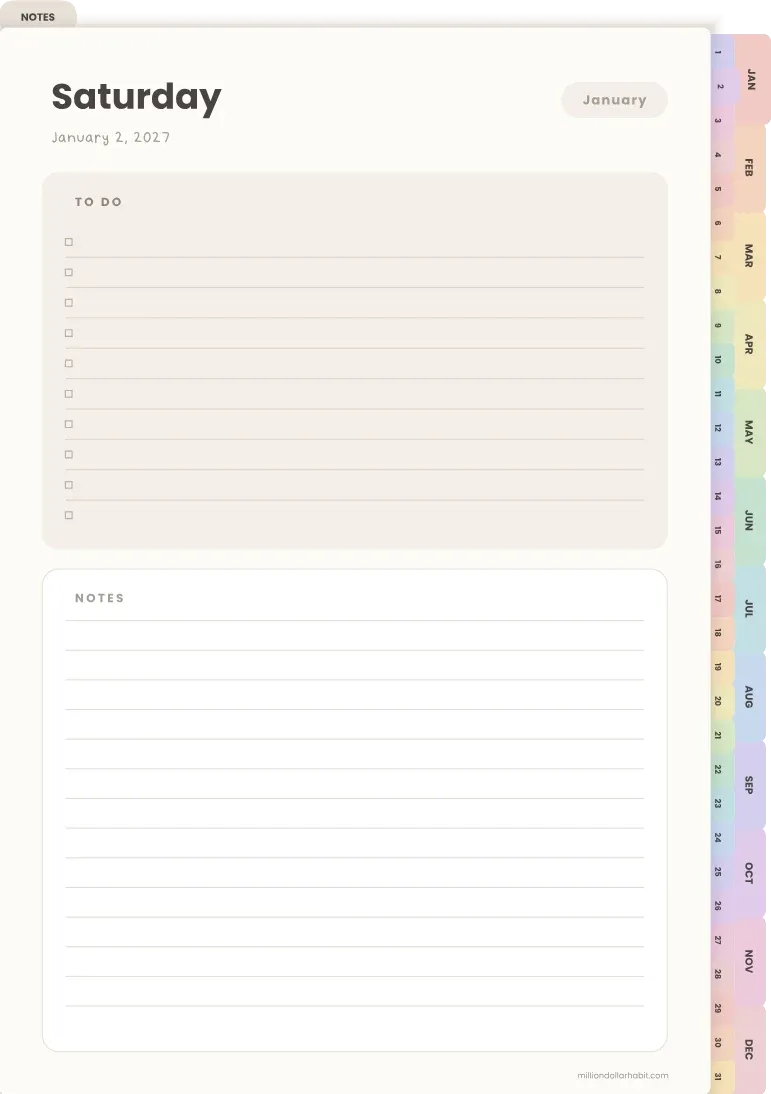
Daily · 385 pages
2027 Daily Planner
Monthly calendars plus a simple page for every day of the year.
-
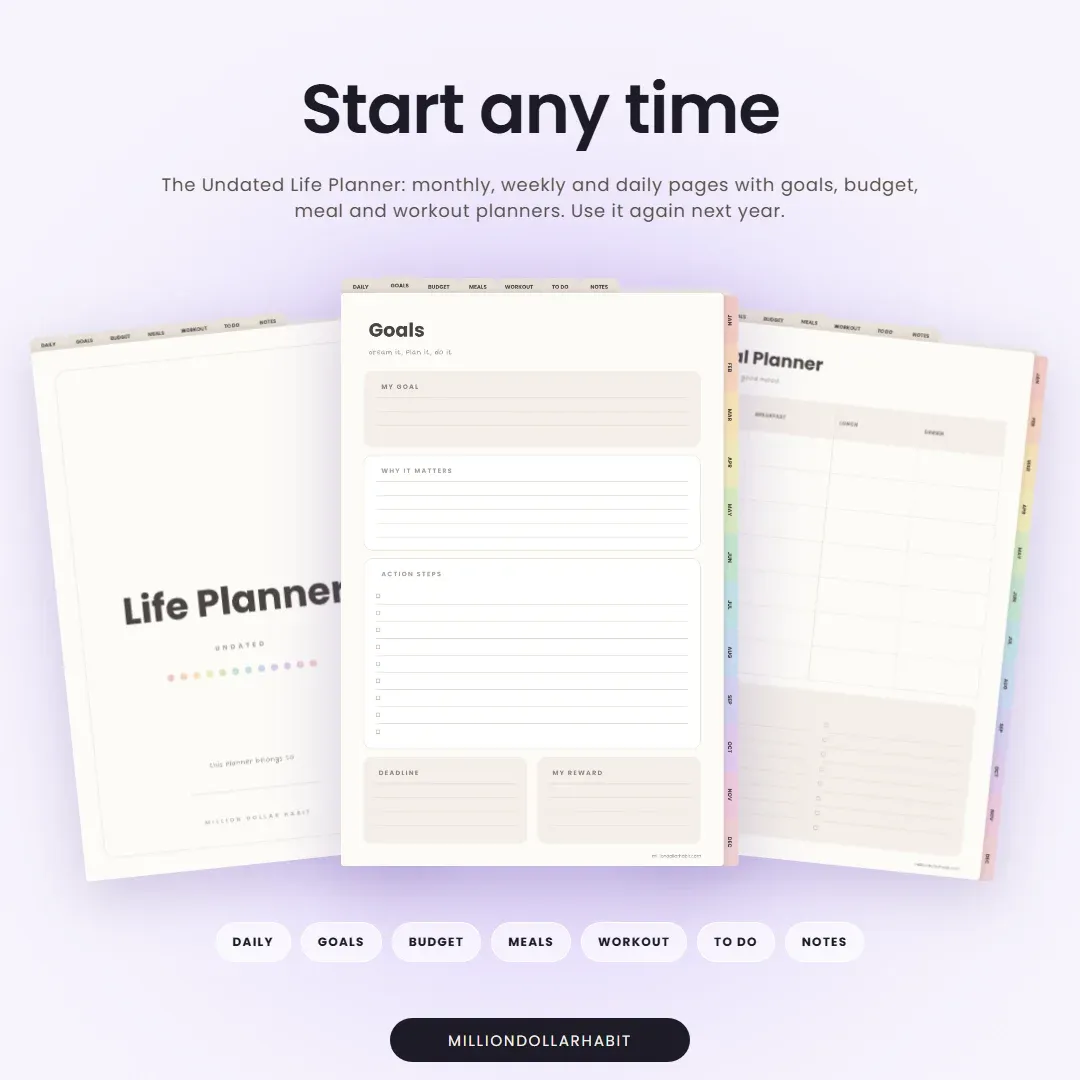
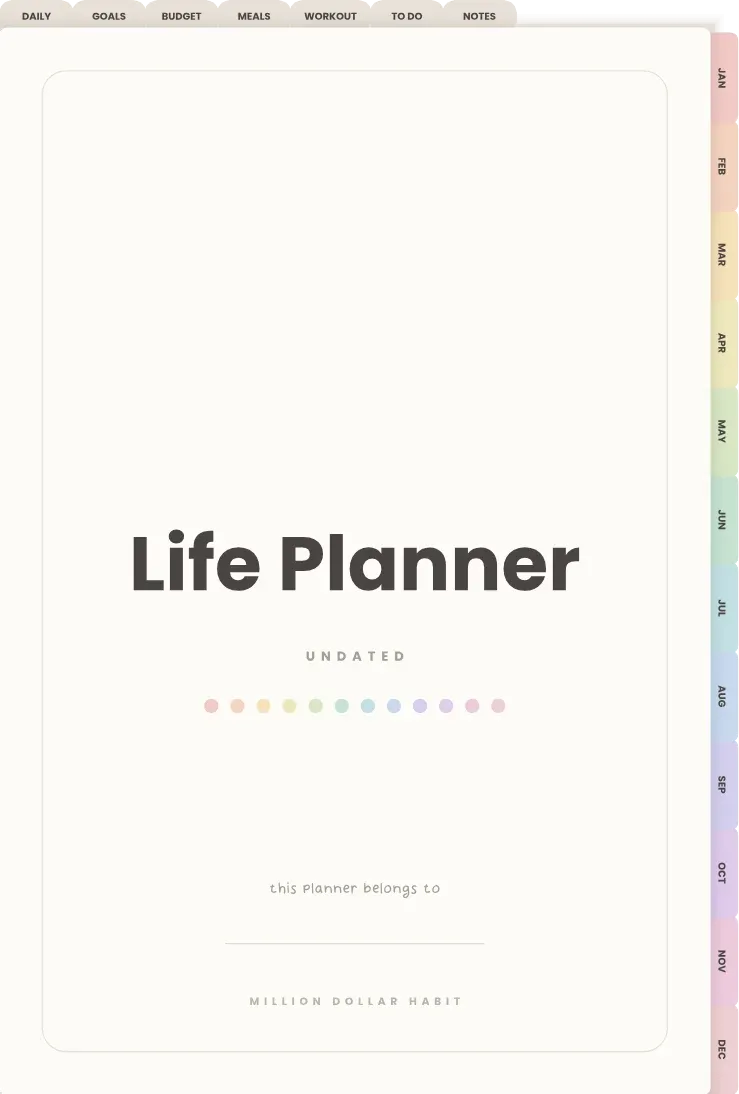
Undated · 86 pages
Undated Life Planner
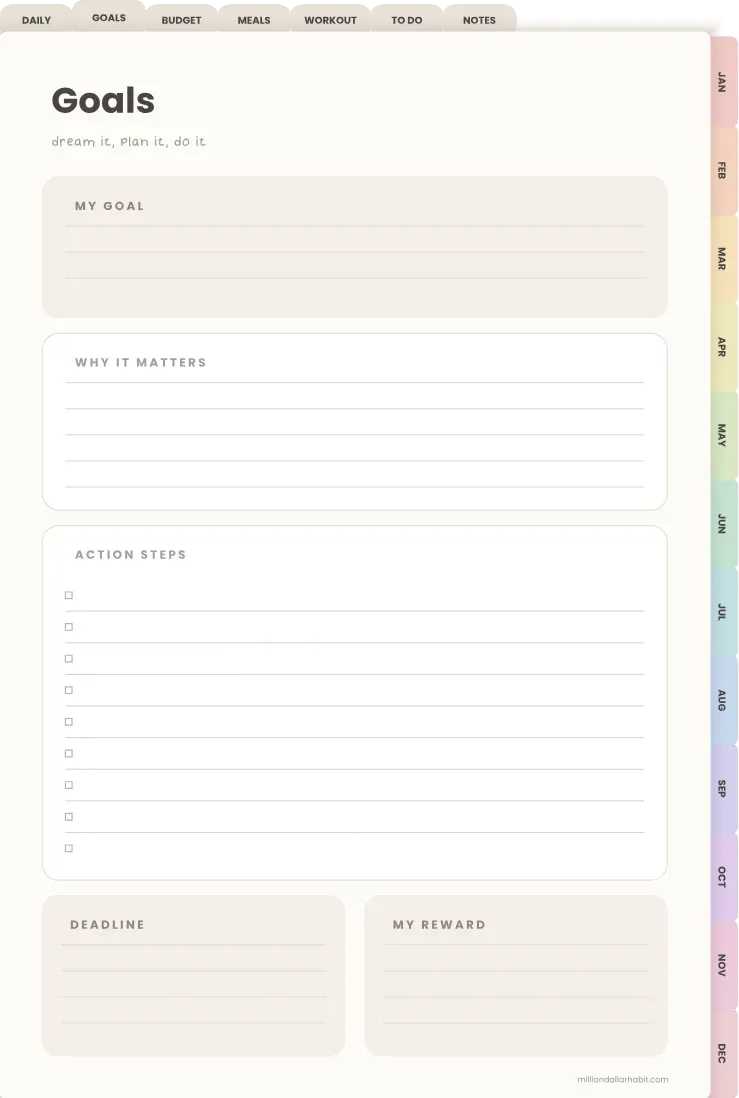
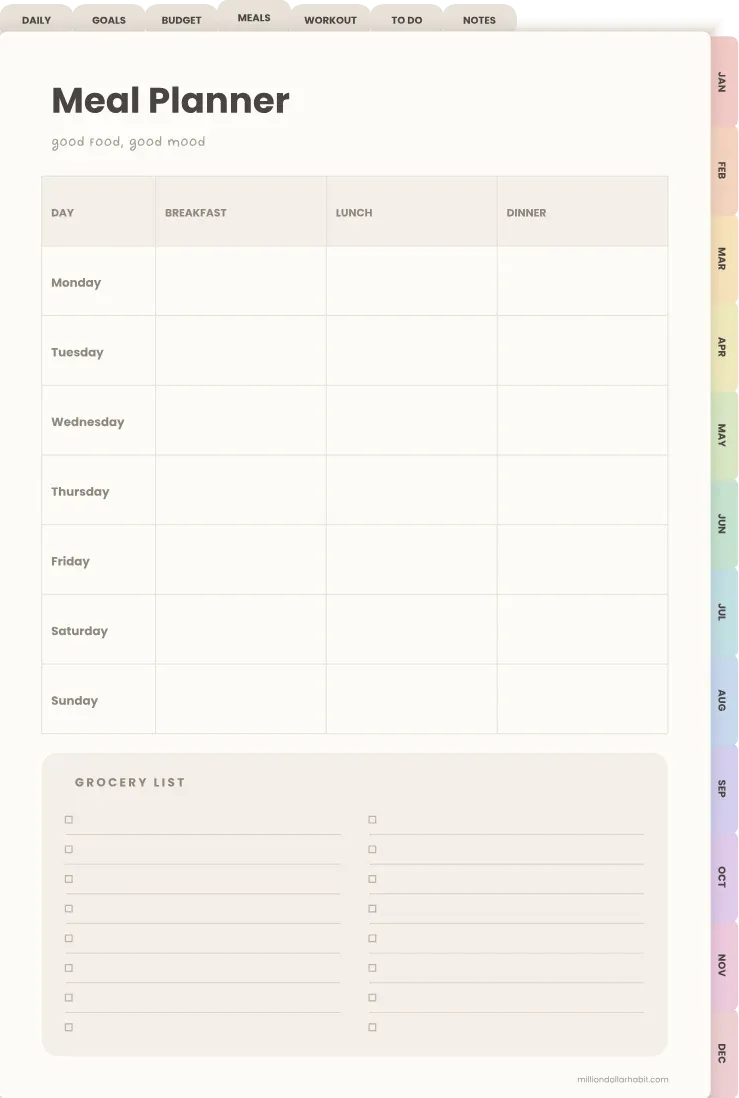
Monthly, weekly and daily pages with goals, budget, meal and workout planners. Reuse it any year.
Free 2027 Planners
Dated, Daily & Undated
Why This Is the Best Free Digital
Planner on the Internet
These free digital planners for 2027 are built for GoodNotes, Notability, Noteshelf and other PDF planner apps on iPad or Android tablets. They’re full hyperlinked planners, not 4-page samples, so you can actually plan your whole year with them.
Choose the dated 2027 planner, the 2027 daily planner with a page for every day, or the undated life planner you can reuse every year. Or take all three.
- Year overview with tappable months
- 12 monthly calendars
- A weekly page for every week of 2027
- A daily page for every day of 2027
- Goals, budget, meal and workout planners
- To-do lists and notes pages
- Month tabs on every page
- Sunday and Monday start
How to Use the Digital Planner
-
Download the PDF file from our link above
-
Open it in GoodNotes, Notability, Xodo, Noteshelf, or any PDF-friendly annotation app
-
Navigate using the built-in hyperlinks (tap to move between sections)
-
Write or type directly on the pages using a stylus or your keyboard
-
Duplicate pages if you need more space—use it your way!
What You Need to Get Started
- An iPad, Android tablet, or device that supports PDF annotation
- A stylus (like Apple Pencil or S Pen)
- A free or paid app like GoodNotes, Notability, or Xodo
- Optional: Digital stickers or widgets for customization
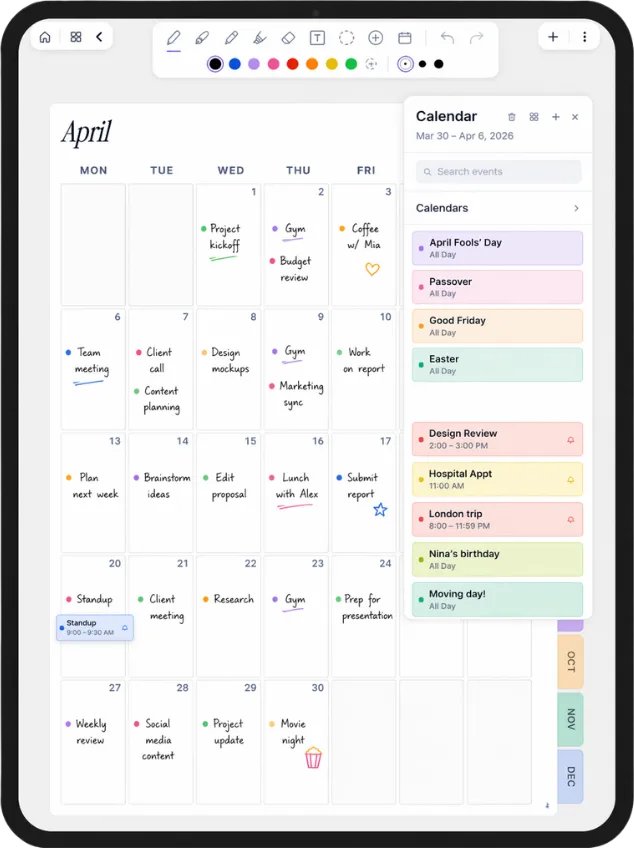
Your Apple Calendar, right on the page
Plannora turns a planner like this into a living one. Your events land on the right day, and you write over them with Apple Pencil. Join the waitlist for early access.
- Your events appear on the page by themselves
- Paper feel with Apple Pencil
- Launching soon on iPad
Want More?
Goodnotes / Notability / Noteshelf
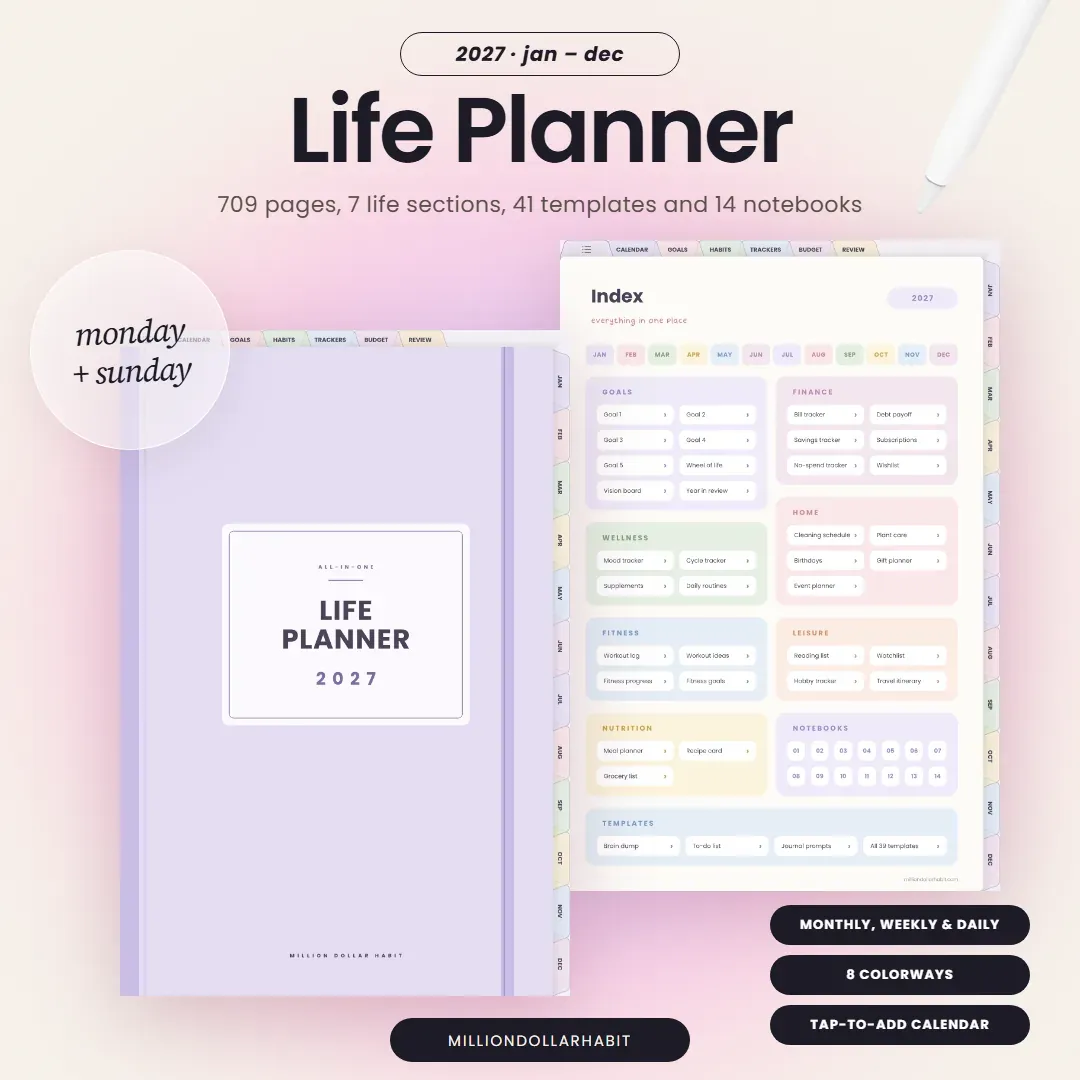
The 2027 Life Planner
Your whole life in one dated planner, January to December 2027: a daily page for every day, 7 life sections, 41 templates and 14 notebooks, in 8 colorways. Build your version with the Planner Creator.
Check out our digital productivity shop, premium templates, and planner bundles for deeper habit tracking and daily success.
Free WallpapersFAQ
Is the digital planner really free?
Yes. Enter your first name and email above and your download arrives in your inbox straight away. There is nothing to pay, and you also get the password to the freebie library. You can unsubscribe at any time.
Which free planner should I choose?
Pick the 2027 Planner if you like a monthly and weekly view, the 2027 Daily Planner if you want a page for every day, or the Undated Life Planner if you want to start any time and reuse it next year. One sign-up gets you all three, so you can try them side by side.
What exactly is a digital planner?
A digital planner is like a traditional paper planner—but made for your tablet. It’s usually a PDF with hyperlinked tabs, designed to work inside note-taking apps like GoodNotes, Notability, OneNote, or even Notion. You can write on it with your stylus, add stickers, and organize your life without carrying paper everywhere.
How do I use the hyperlinks inside my planner?
Hyperlinks are built-in buttons that let you jump between sections of your planner (like monthly → weekly → daily pages). In GoodNotes and most apps, tap the “read-only” or “presentation” mode (instead of writing mode) to make the links active. Once tapped, they’ll instantly take you to the right page.
What do I need to start digital planning?
At minimum, you’ll need:
A tablet (iPad is most common, but Android works too)
A stylus (Apple Pencil or similar)
A note-taking app (GoodNotes, Notability, OneNote, etc.)
And of course, your digital planner file!
Which iPad works best for digital planning?
All modern iPads can run apps like GoodNotes, but you’ll get the best experience with models that support the Apple Pencil (iPad 6th gen and newer, iPad Air 3rd gen and newer, iPad Pro models).
How do I import the planner into GoodNotes?
Download the PDF to your iPad, open it from the Files app and choose GoodNotes from the share menu. Or, inside GoodNotes, tap + and then Import, and pick the file. Notability and Noteshelf work the same way.
Does it come with a Monday start?
Yes. Every planner comes in a Sunday start and a Monday start version, so pick whichever matches how you plan your week.
Can I use an Android tablet instead of an iPad?
Yes! Digital planners are PDFs, so they work on most tablets. Popular Android options include Samsung Notes, Penly, and Xodo. The setup may look a little different, but the experience is very similar.
Is the free planner dated or undated?
Both. The 2027 Planner and the 2027 Daily Planner are dated for January to December 2027. The Undated Life Planner has no dates, so you can start it any month and use it again next year.