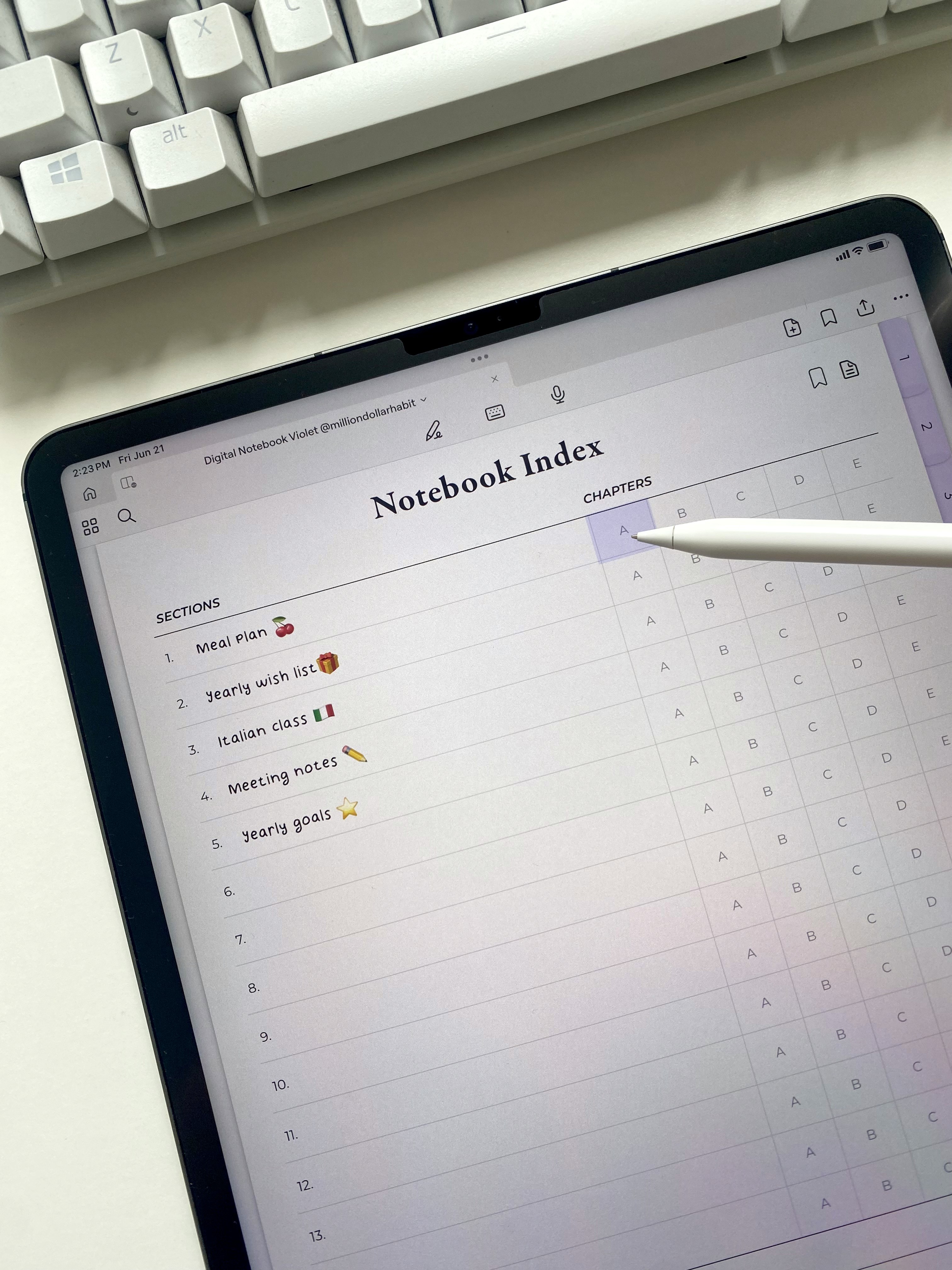
For Goodnotes

15 Subject Digital Notebook

$9

Get this template

Get this template

Get this template

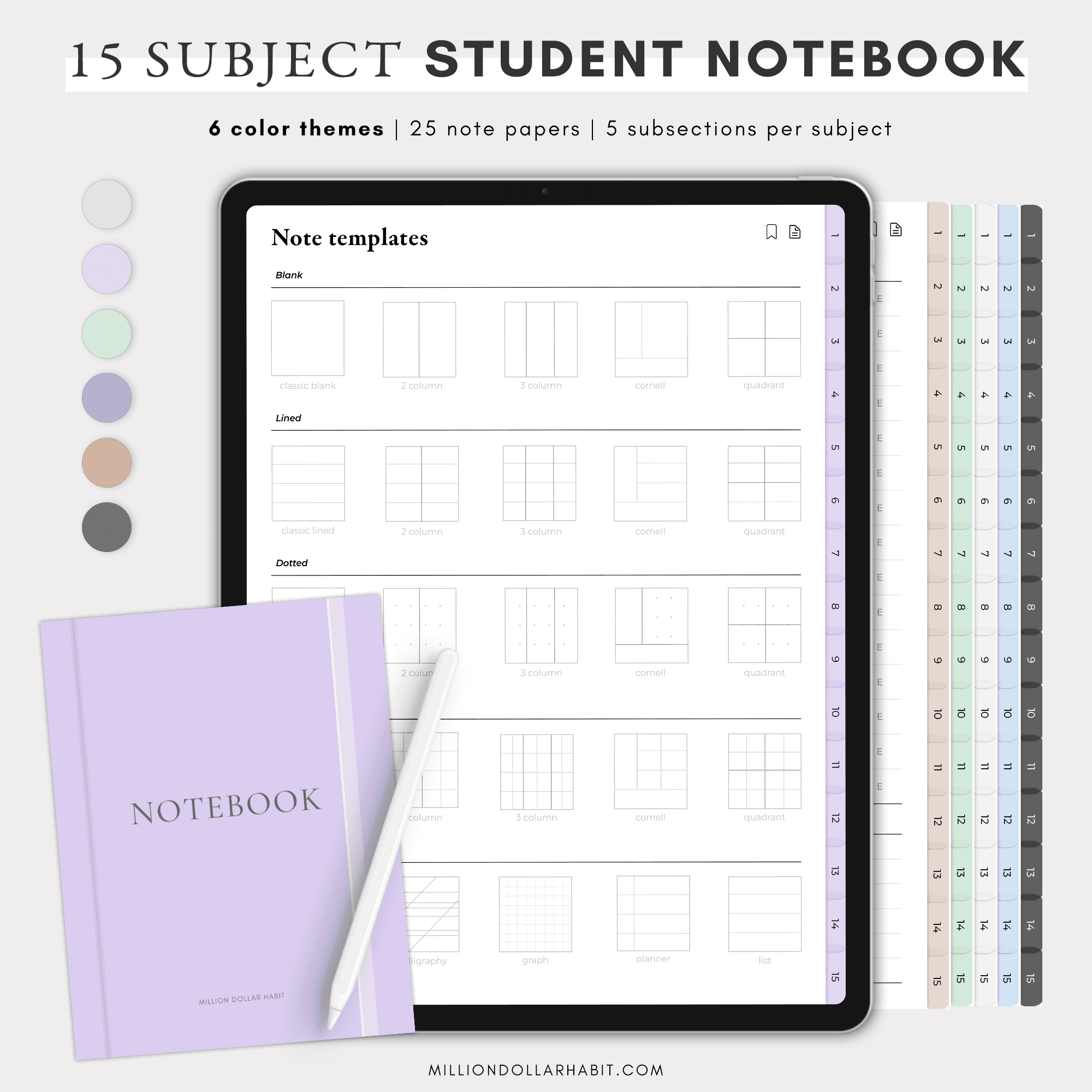
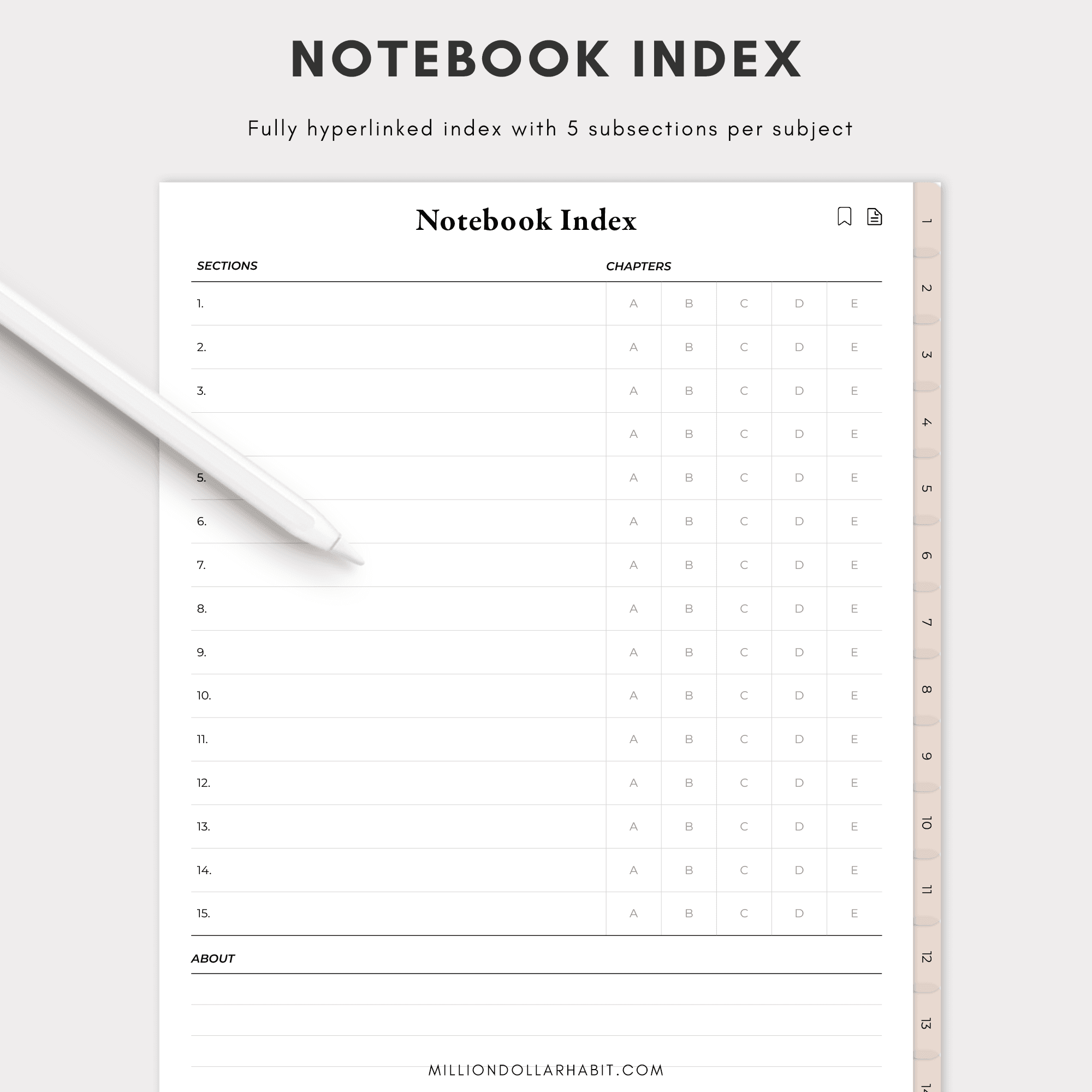
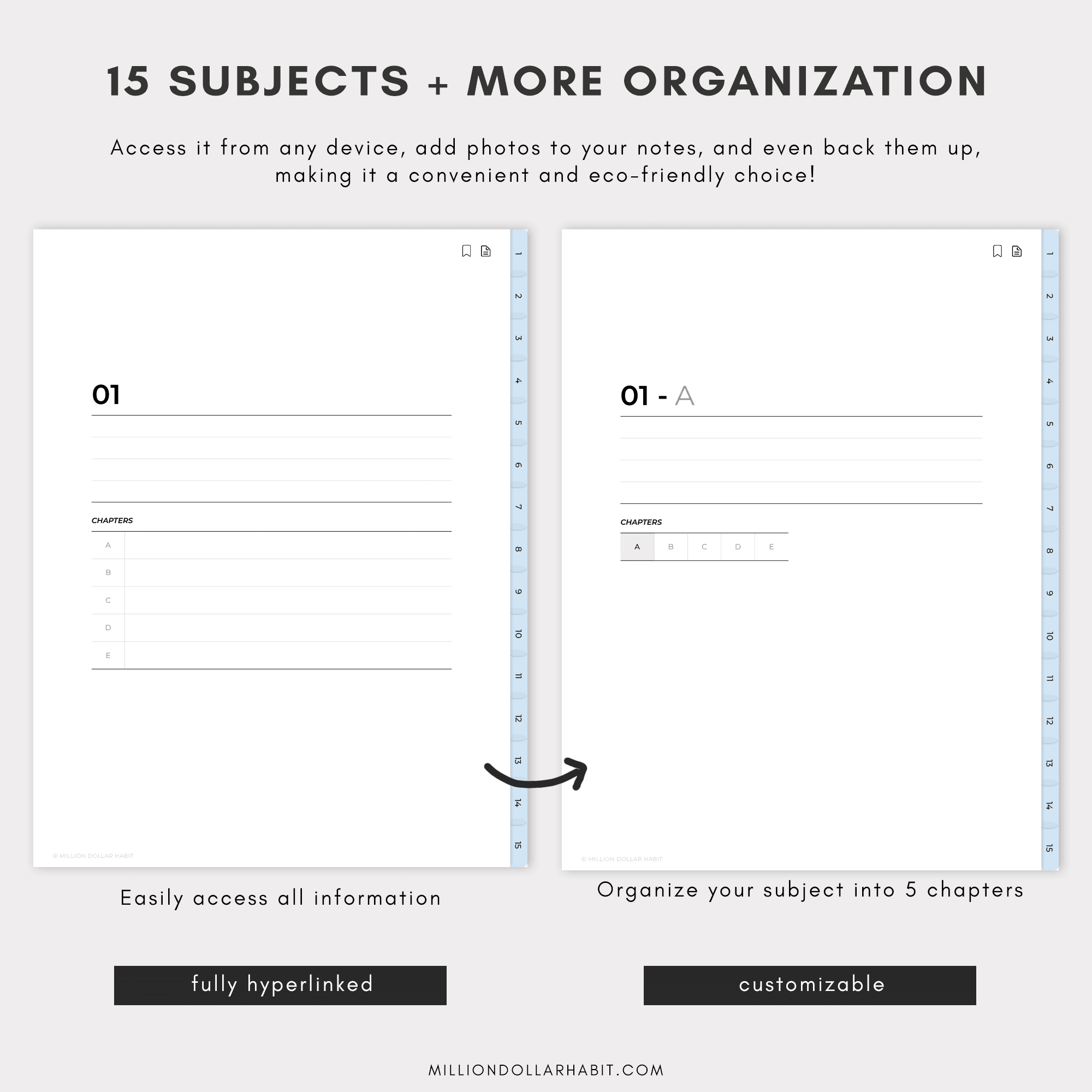
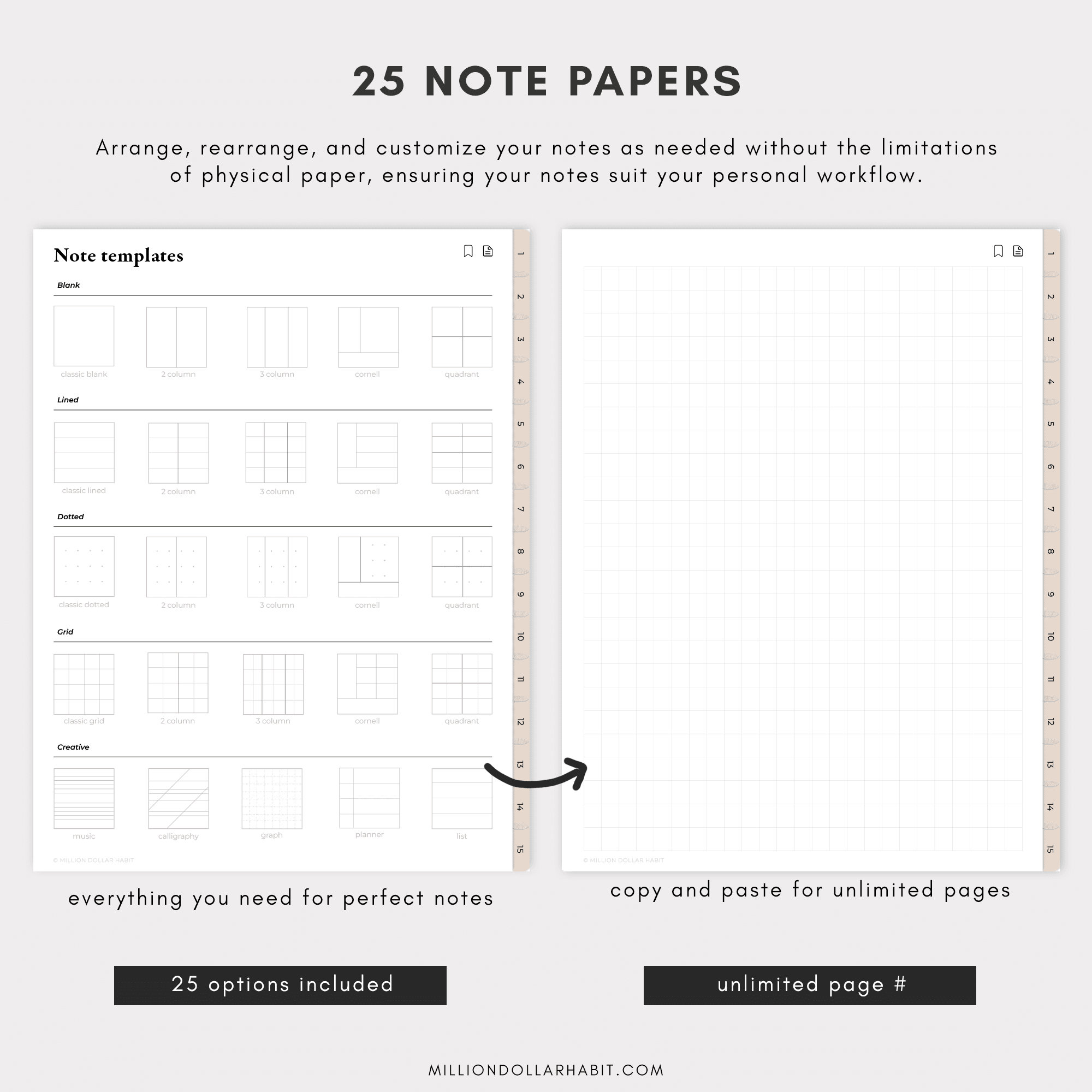
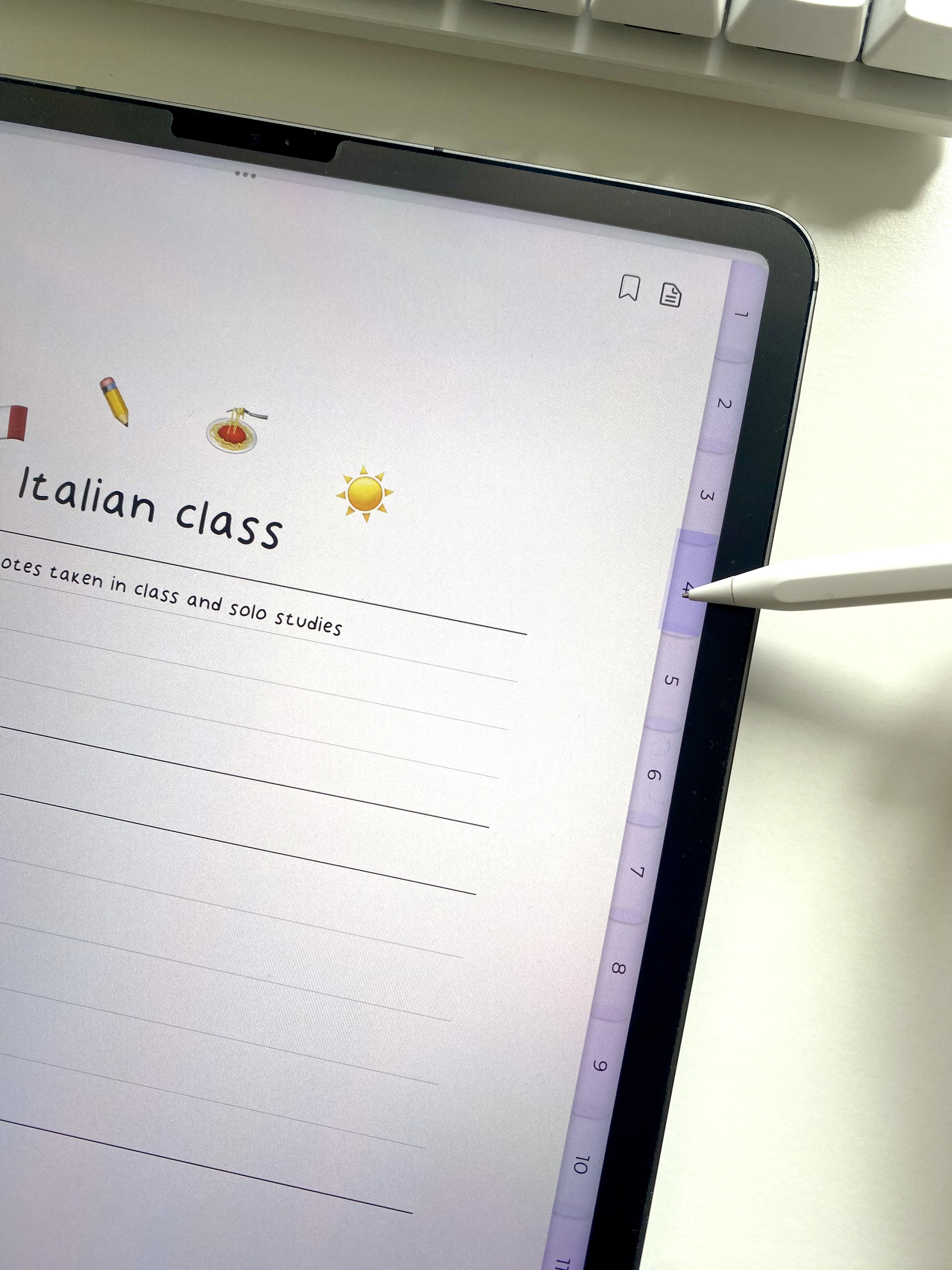
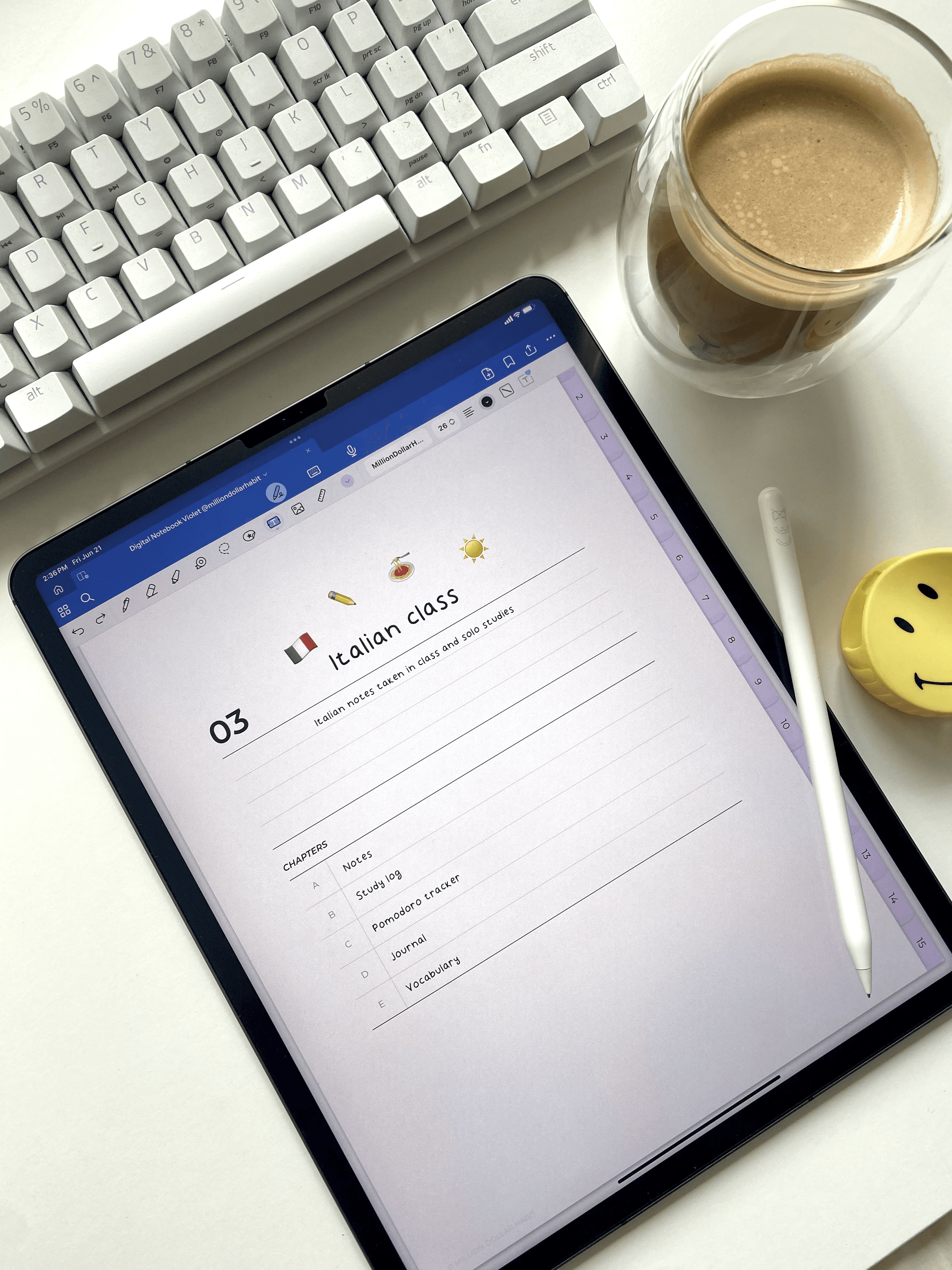
The perfect digital notebook for GoodNotes and Notability on your iPad. Includes 15 subjects with 5 chapters each, and 25 note papers.

What's inside?

What's inside?

Enjoy unlimited pages by copying and pasting, all conveniently hyperlinked for easy navigation.

You will receive: 
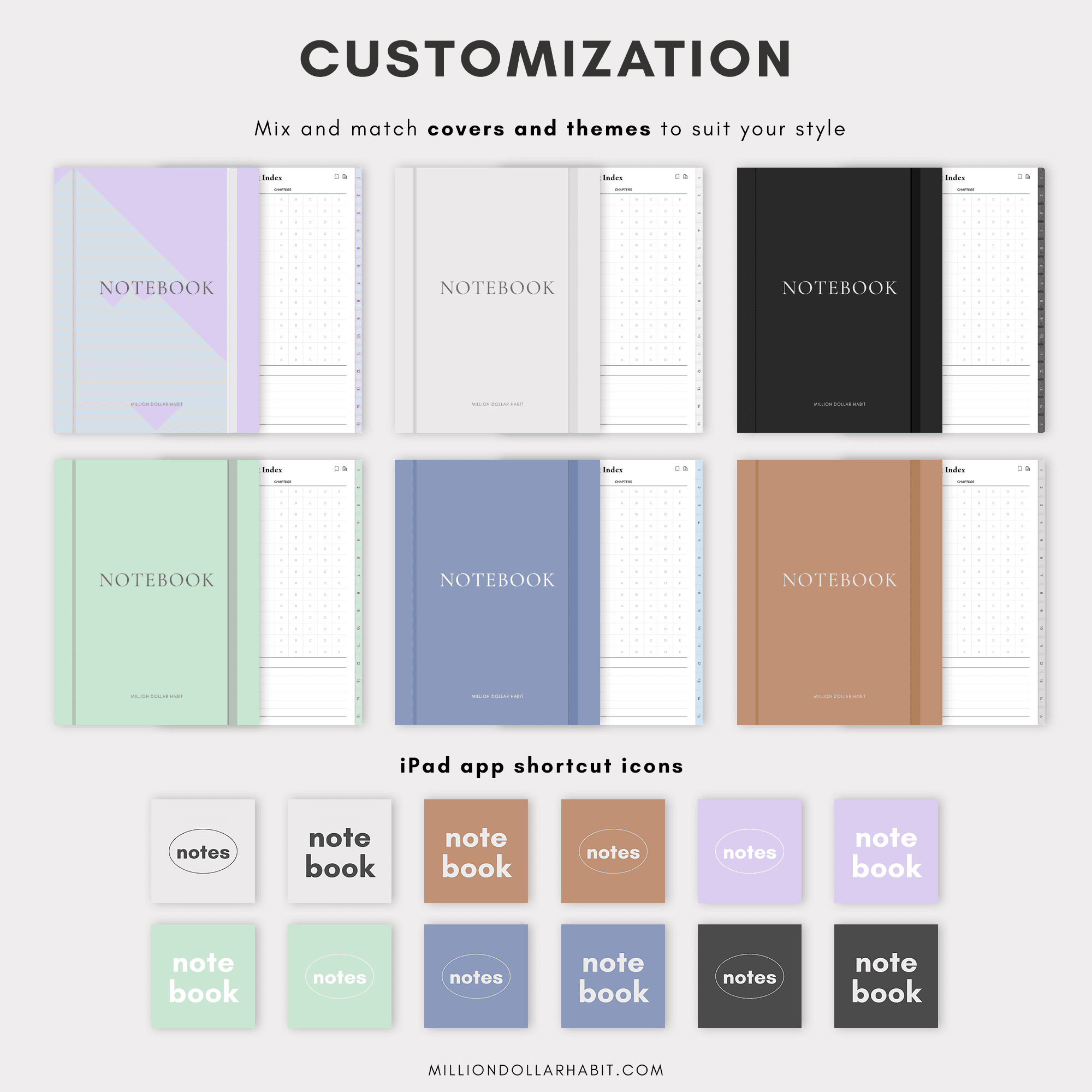
- 15 Subject Notebook in 6 color themes
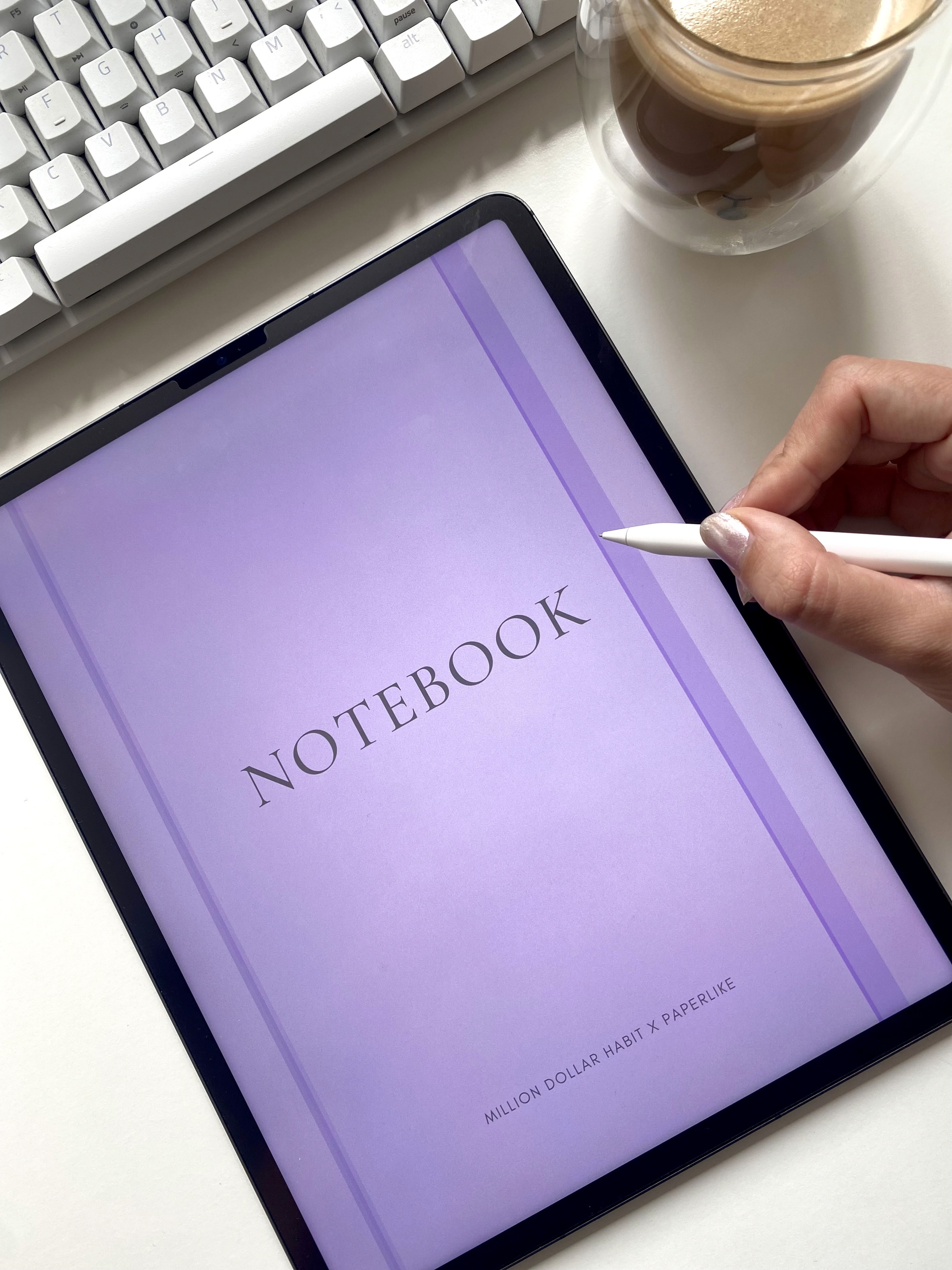
- 6 notebook covers
- 12 app shortcut icons
Frequently Asked Questions

Does this planner work with GoodNotes?

Yes. This planner is fully compatible with GoodNotes and is optimized for iPad use. All links, tabs, and pages work seamlessly inside the GoodNotes app.

Does this planner work with GoodNotes?

Yes. This planner is fully compatible with GoodNotes and is optimized for iPad use. All links, tabs, and pages work seamlessly inside the GoodNotes app.

Does this planner work with GoodNotes?

Yes. This planner is fully compatible with GoodNotes and is optimized for iPad use. All links, tabs, and pages work seamlessly inside the GoodNotes app.

Is this planner beginner-friendly?

Yes. Whether you’re new to digital planning or already use GoodNotes daily, these planners are designed to be intuitive, clean, and easy to use from day one.

Is this planner beginner-friendly?

Yes. Whether you’re new to digital planning or already use GoodNotes daily, these planners are designed to be intuitive, clean, and easy to use from day one.

Is this planner beginner-friendly?

Yes. Whether you’re new to digital planning or already use GoodNotes daily, these planners are designed to be intuitive, clean, and easy to use from day one.

Are refunds available for digital planners?

Due to the nature of digital products, all sales are final. If you have any issues with your download or compatibility, support is always happy to help.

Are refunds available for digital planners?

Due to the nature of digital products, all sales are final. If you have any issues with your download or compatibility, support is always happy to help.

Are refunds available for digital planners?

Due to the nature of digital products, all sales are final. If you have any issues with your download or compatibility, support is always happy to help.

Is this a one-time purchase?

Yes. This is a one-time digital download. You pay once and can use the files on your personal devices as long as you want.

Is this a one-time purchase?

Yes. This is a one-time digital download. You pay once and can use the files on your personal devices as long as you want.

Is this a one-time purchase?

Yes. This is a one-time digital download. You pay once and can use the files on your personal devices as long as you want.

How do I download and import the planner into GoodNotes?

After purchase, you’ll receive a download link: Download the PDF files to your iPad or computer Open GoodNotes Tap “Import” and select the planner file Once imported, you can start using it immediately.

How do I download and import the planner into GoodNotes?

After purchase, you’ll receive a download link: Download the PDF files to your iPad or computer Open GoodNotes Tap “Import” and select the planner file Once imported, you can start using it immediately.

How do I download and import the planner into GoodNotes?

After purchase, you’ll receive a download link: Download the PDF files to your iPad or computer Open GoodNotes Tap “Import” and select the planner file Once imported, you can start using it immediately.

Which apps are supported besides GoodNotes?

These digital planners work with most PDF annotation apps, including: GoodNotes (recommended) Notability Noteshelf ZoomNotes Xodo They are not compatible with Notion or OneNote, as those apps don’t support interactive hyperlinked PDFs the same way.

Which apps are supported besides GoodNotes?

These digital planners work with most PDF annotation apps, including: GoodNotes (recommended) Notability Noteshelf ZoomNotes Xodo They are not compatible with Notion or OneNote, as those apps don’t support interactive hyperlinked PDFs the same way.

Which apps are supported besides GoodNotes?

These digital planners work with most PDF annotation apps, including: GoodNotes (recommended) Notability Noteshelf ZoomNotes Xodo They are not compatible with Notion or OneNote, as those apps don’t support interactive hyperlinked PDFs the same way.

Can I use this digital planner on iPad?

Absolutely. All Million Dollar Habit planners are designed specifically for iPad + Apple Pencil. They also work on other tablets that support PDF annotation apps, but the best experience is on iPad.

Can I use this digital planner on iPad?

Absolutely. All Million Dollar Habit planners are designed specifically for iPad + Apple Pencil. They also work on other tablets that support PDF annotation apps, but the best experience is on iPad.

Can I use this digital planner on iPad?

Absolutely. All Million Dollar Habit planners are designed specifically for iPad + Apple Pencil. They also work on other tablets that support PDF annotation apps, but the best experience is on iPad.

Do I need a new download every month?

No. You get access to the same wallpaper library on Google Drive, which is updated over time. When a new month is added, it appears alongside the previous months in that library.

Do I need a new download every month?

No. You get access to the same wallpaper library on Google Drive, which is updated over time. When a new month is added, it appears alongside the previous months in that library.

Do I need a new download every month?

No. You get access to the same wallpaper library on Google Drive, which is updated over time. When a new month is added, it appears alongside the previous months in that library.

What is a digital planner for GoodNotes?

A digital planner for GoodNotes is a hyperlinked PDF designed to be used inside the GoodNotes app on iPad. You can write, highlight, and decorate it using Apple Pencil—just like a paper planner, but fully digital.

What is a digital planner for GoodNotes?

A digital planner for GoodNotes is a hyperlinked PDF designed to be used inside the GoodNotes app on iPad. You can write, highlight, and decorate it using Apple Pencil—just like a paper planner, but fully digital.

What is a digital planner for GoodNotes?

A digital planner for GoodNotes is a hyperlinked PDF designed to be used inside the GoodNotes app on iPad. You can write, highlight, and decorate it using Apple Pencil—just like a paper planner, but fully digital.

Testimonials

Here's what our customers are saying about our planners

Trusted by over 45000+ customers worldwide

Switched from three abandoned apps to this one and hit every weekly goal for the past two months.

5.0

Switched from three abandoned apps to this one and hit every weekly goal for the past two months.

5.0

Switched from three abandoned apps to this one and hit every weekly goal for the past two months.

5.0

The habit tracker guilt‑tags me just enough to get off Instagram and do the workout.

5.0

The habit tracker guilt‑tags me just enough to get off Instagram and do the workout.

5.0

The habit tracker guilt‑tags me just enough to get off Instagram and do the workout.

5.0

Icons and stickers drop in perfectly; my week now looks like a curated mood board

5.0
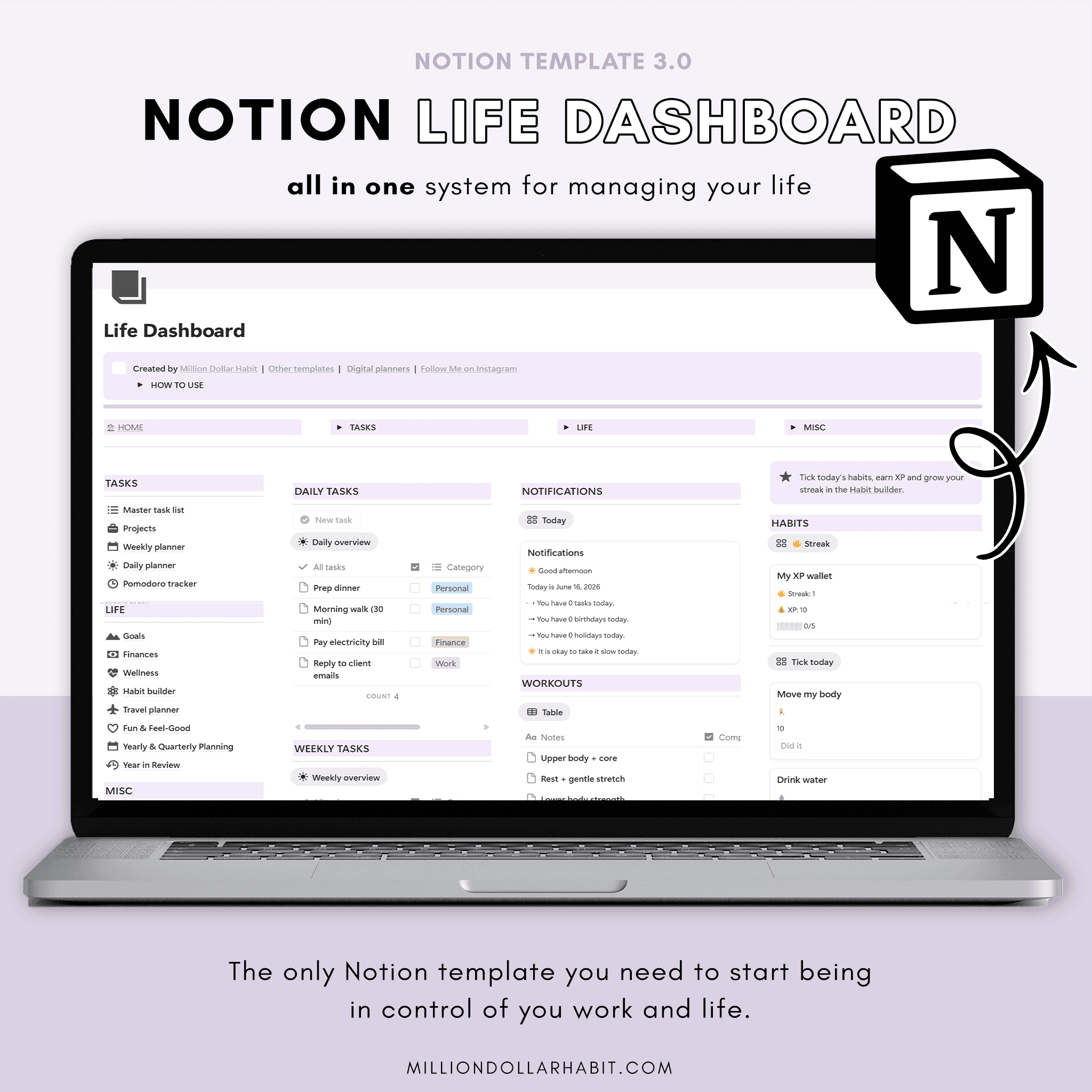
Icons and stickers drop in perfectly; my week now looks like a curated mood board

5.0
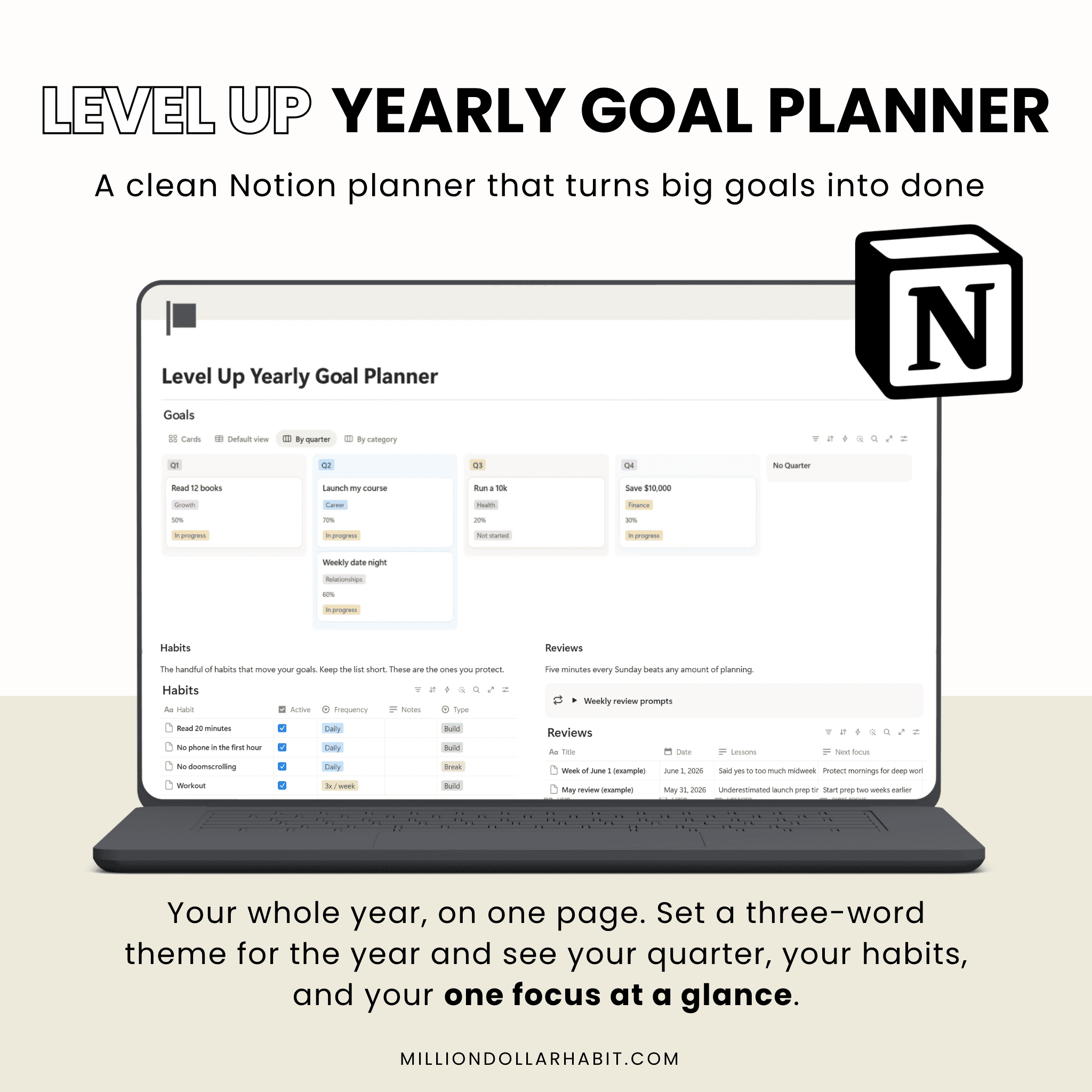
Icons and stickers drop in perfectly; my week now looks like a curated mood board

5.0
Haven’t bought a new “perfect” notebook in two months, which is a record for me.

5.0

Haven’t bought a new “perfect” notebook in two months, which is a record for me.

5.0

The muted palette feels like a cozy café; planning doesn’t feel like work anymore

5.0

The muted palette feels like a cozy café; planning doesn’t feel like work anymore

5.0

I recommend it for the Focus Modes that hide non‑essential lists during deep work sessions.

5.0

I recommend it for the Focus Modes that hide non‑essential lists during deep work sessions.

5.0

Love how the minimal layout makes my messy notes look intentional instead of chaotic

5.0

Love how the minimal layout makes my messy notes look intentional instead of chaotic

5.0

I highly recommend them to anyone needing better organization. These Notion templates are fantastic!

5.0

I highly recommend them to anyone needing better organization. These Notion templates are fantastic!

5.0

I love that we get lifetime updates for the Life Dashboard, my favorite

5.0

I love that we get lifetime updates for the Life Dashboard, my favorite

5.0

MILLION DOLLAR HABIT

Digital planners, templates and stickers for GoodNotes,
Notion and iPad planning.

Terms of Service

© 2025 Neda Mrvaljević PR Edukativni centar Planerium Beograd. All rights reserved.

MILLION DOLLAR HABIT

Digital planners, templates and stickers for
GoodNotes, Notion and iPad planning.

© 2025 Neda Mrvaljević PR Edukativni centar Planerium Beograd.